Program Detail
Phalanx’s High Intensity Exercise Program Patient Guide
This guide provides a walk through of the Phalanx training program, what you need to begin, and how to get started once you download the Phalanx iOS app. As always, you may reach out to us anytime by emailing support@phalanxpd.com or clicking “Speak to the Phalanx Team” in the iOS app.
Section 1: Basic Training Structure
Your weekly training program and heart rate targets are built and delivered via the Phalanx iOS app.
The Weekly Program
| High Intensity | Moderate Intensity | ||
|---|---|---|---|
| Session A | Session B | ||
| Frequency | 1× / week | 1× / week | Weekly Minutes Goal |
| Workout Structure | Intervals of 2 min or less | Intervals of 6 min or less | Continuous |
| Heart Rate | ≥ 85% Max HR | ≥ 85% Max HR | 60–74% Max HR |
selects your starting weekbased on an initial questionnaire filled out in the iOS app | |||
| Sample Starting Week | Level 2 6 × 1 mins on / 1 mins off | Level 1 2 × 3 mins on / 1 mins off | Weekly 135 min |
guides you from hereto herebased on your training data and a brief end-of-week questionnaire in the iOS app | |||
| Phalanx Apex | Level 18 10 × 2 mins on / 1 mins off | Level 11 4 × 6 mins on / 1 mins off | Weekly 180 min |
| Phalanx Apex Plus(see note below) | Level 18 10 × 2 mins on / 1 mins off | Level 17 6 × 6 mins on / 1 mins off | Weekly 240 min |
High Intensity Levels
Each week, Phalanx selects one Level for Session A and one Level for Session B based on your training data and end-of-week questionnaire filled out via the iOS app. The goal is to get you to Phalanx Apex for Session A & Session B. If you wish, you may manually select your desired level at any time.
Session A
Intervals 2 minutes or less
- Lvl 15 × 1 mins on/1 mins off
- Lvl 26 × 1 mins on/1 mins off
- Lvl 37 × 1 mins on/1 mins off
- Lvl 48 × 1 mins on/1 mins off
- Lvl 59 × 1 mins on/1 mins off
- Lvl 610 × 1 mins on/1 mins off
- Lvl 711 × 1 mins on/1 mins off
- Lvl 812 × 1 mins on/1 mins off
- Lvl 91 × 2 mins on/1 mins off & 10 × 1 mins on/1 mins off
- Lvl 102 × 2 mins on/1 mins off & 8 × 1 mins on/1 mins off
- Lvl 113 × 2 mins on/1 mins off & 6 × 1 mins on/1 mins off
- Lvl 124 × 2 mins on/1 mins off & 4 × 1 mins on/1 mins off
- Lvl 135 × 2 mins on/1 mins off & 2 × 1 mins on/1 mins off
- Lvl 146 × 2 mins on/1 mins off
- Lvl 157 × 2 mins on/1 mins off
- Lvl 168 × 2 mins on/1 mins off
- Lvl 179 × 2 mins on/1 mins off
- Lvl 1810 × 2 mins on/1 mins offApex / Apex+
Session B
Intervals 6 minutes or less
- Lvl 12 × 3 mins on/1 mins off
- Lvl 21 × 6 mins on/1 mins off
- Lvl 31 × 6 mins on/1 mins off & 1 × 2 mins on/1 mins off
- Lvl 41 × 6 mins on/1 mins off & 1 × 4 mins on/1 mins off
- Lvl 52 × 6 mins on/1 mins off
- Lvl 62 × 6 mins on/1 mins off & 1 × 2 mins on/1 mins off
- Lvl 72 × 6 mins on/1 mins off & 1 × 4 mins on/1 mins off
- Lvl 83 × 6 mins on/1 mins off
- Lvl 93 × 6 mins on/1 mins off & 1 × 2 mins on/1 mins off
- Lvl 103 × 6 mins on/1 mins off & 1 × 4 mins on/1 mins off
- Lvl 114 × 6 mins on/1 mins offApex
- Lvl 124 × 6 mins on/1 mins off & 1 × 2 mins on/1 mins off
- Lvl 134 × 6 mins on/1 mins off & 1 × 4 mins on/1 mins off
- Lvl 145 × 6 mins on/1 mins off
- Lvl 155 × 6 mins on/1 mins off & 1 × 2 mins on/1 mins off
- Lvl 165 × 6 mins on/1 mins off & 1 × 4 mins on/1 mins off
- Lvl 176 × 6 mins on/1 mins offApex+
You may use any type of exercise to perform your workout. Please click Exercise Modalities to see a list of exercise modalities we have found patients like. It may take some time to figure out which is best for you. Please reach out to the Phalanx team at any time for guidance.
Further, while we believe strongly in the ability of the Phalanx program’s interval structure to optimally improve your fitness and drive disease-modifying benefit, if you wish to participate in a group workout session (e.g. Beat Parkinson’s Today), the Phalanx iOS app allows you to log a Custom High Intensity Session, and count that as a Session A or Session B. The goal in such a case is to have a period of time within the group workout where your average heart rate ≥ 85% of your max for a duration equal to or greater than the total work time (total minutes “on”) Phalanx has assigned you for the Session A or Session B that week. Simply wear your heart rate monitor, log your workout as per the instructions in “How to Log Your Workouts” below, and Phalanx will automatically take care of the rest.
Moderate Intensity Levels
Each week, Phalanx selects a weekly Moderate Intensity goal between 60 and 240 minutes based on your training data and end-of-week questionnaire filled out via the iOS app. The goal is to get you to Phalanx Apex for Weekly Moderate Intensity Minutes. If you wish, you may manually select your desired level at any time.
You may use any type of exercise to perform your workout. Please click Exercise Modalities to see a list of exercise modalities we have found patients like. It may take some time to figure out which is best for you. Please reach out to the Phalanx team at any time for guidance.
Phalanx believes the substantial majority of patients can reach Phalanx Apex with time.
However, please understand this is a challenging goal, intended to maximize the disease-modifying effects of exercise and drive benefit to the patient beyond what has already been observed in studies and clinical trials.
It is extremely important to emphasize the data indicates the tremendous benefits of exercise in Parkinson’s Disease begin to accrue at training volumes far less than those found in Phalanx’s Apex Program (Click Here to See the Data). This has been shown to include disease stabilization or even improvement based on the MDS-UPDRS III. So, have patience, trust that any exercise is good for you, and you have time.
Note — Phalanx Apex Plus
If a patient reaches the Phalanx Apex Program, we allow the patient to elect to strive for the Apex Plus Program, which increases the Session B intervals to 6 and increases the weekly moderate-intensity minutes to 240. We do not currently believe this makes sense as a goal for most patients, and it is unclear at this juncture whether it will drive additional benefit beyond Phalanx Apex. However, in the spirit of encouraging patients to always push their limits — and out of curiosity regarding whether Phalanx Apex Plus might drive any small additional benefit — we have chosen to offer this option as a bonus for those who do reach Phalanx Apex.
Section 2: Items Needed to Begin
The Phalanx program requires two things to work at maximum efficacy.
One, the free iOS app. You may download this by going to the Apple App Store and searching for Phalanx.
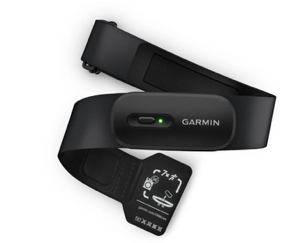
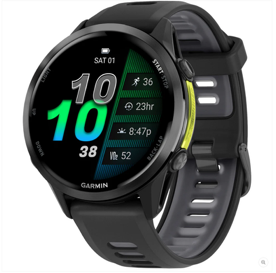
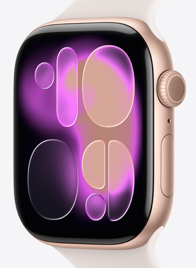
Two, one of the many compatible heart rate monitoring devices. See the full list here. The most cost-effective and most accurate option is typically a heart rate chest strap from Garmin or Polar. However, some people choose to use an existing smartwatch or acquire one — we have found the Apple Watch and the Garmin watches to be good choices.

The Phalanx program highly recommends acquiring a heart rate monitoring device to allow quantitative tracking of the heart rate the patient achieves. However, you may use the iOS app and its training program without one if necessary.
If cost is an issue for a patient, we may be able to support a very limited number of patients in the acquisition of a heart rate chest strap from Garmin or Polar. You can contact our team via the iOS app to register your interest. We will also seek to secure all patients a discount in the future.
Section 3: Guide to Getting Started
Setup
- Visit the Apple App Store, search for “Phalanx,” and click download. Look for the icon below:Phalanx
- Open the Phalanx app on your iPhone.
- Click “Sign-Up” and enter the required information.
- Click the banner at the top of the Home Page asking you to fill out your initial questionnaire.
- Click the button that says “Select Heart Rate Device” to select which device you wish to use. If you don’t have a device yet, or wish to use the program without one, there is an option on the “Select Heart Rate Device” page labeled “No Device.” You may change this at any time.
- Then, you are ready to go!

Home Screen Orientation
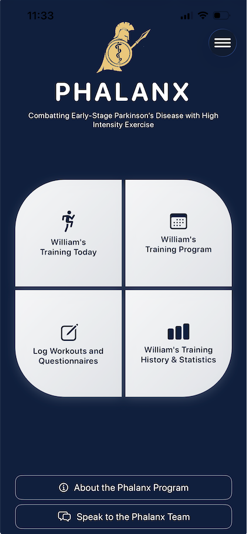
Once you’re signed in, the home screen gives you access to four training tools. Each tile below is marked with a red arrow so you can find it quickly.
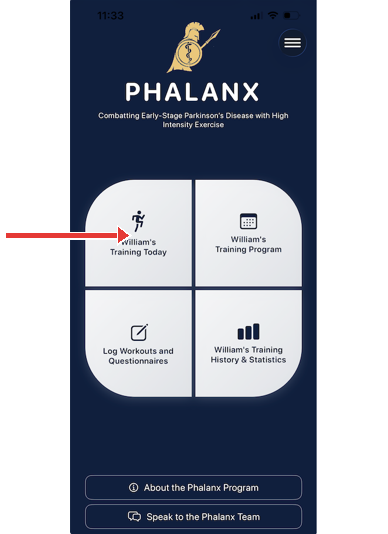
Click Training Today to:
- See your training assigned for today.
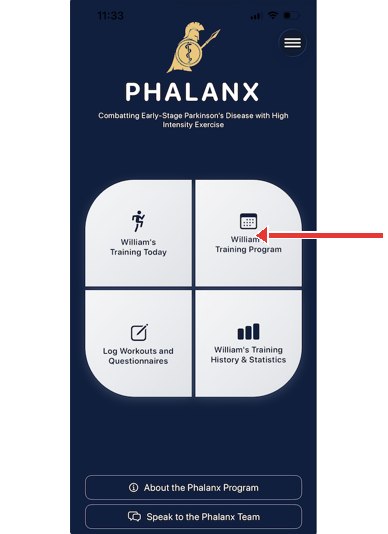
Click Training Program to:
- View your current training program.
- Adjust the assigned workouts for this week or future weeks.
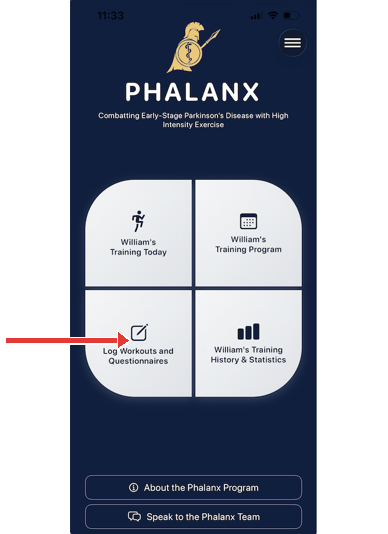
Click Log Workouts and Questionnaires to:
- Log your workout from today or prior days.
- Fill out your end-of-week questionnaire.
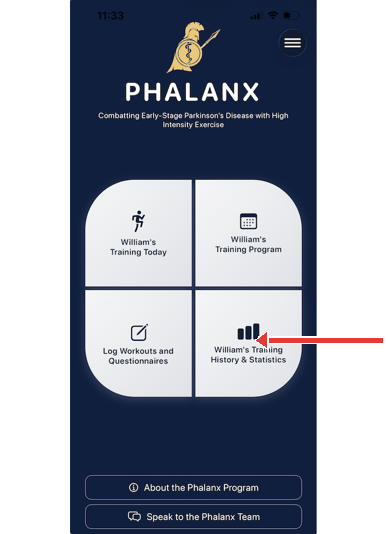
Click Training History & Statistics to:
- View your past training history and associated statistics.
- Track your progress towards Phalanx’s Apex Program.
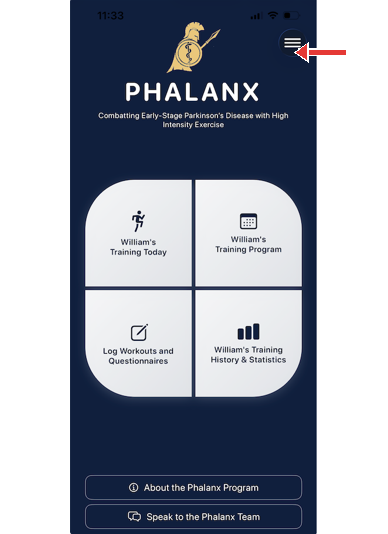
You may also visit the menu to share your training data with your physician. Physician access to a patient’s training data may be revoked at any time.
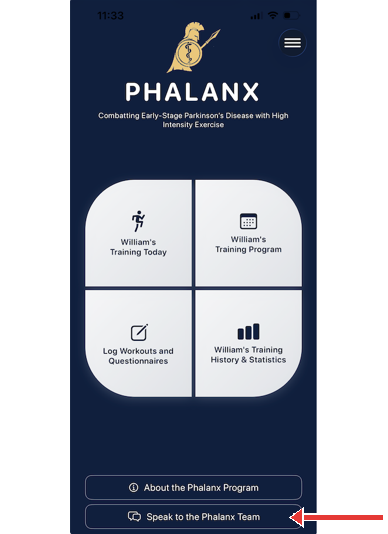
If you have any questions at all, please contact us via the “Speak to the Phalanx Team” button on the home screen. You will be able to send us a chat or set up a time for a Zoom call.